GNU Guix Automated Installation
In Code We Trust ⚙️ | Simplified Guix System Setup
📖 Overview
This project provides an automated installation script for GNU Guix, designed to simplify and speed up the setup process on new systems.
The install.sh script:
- Automatically fixes and updates your /mnt/etc/config.scm
- Adds required (nongnu packages …) and (kernel …) entries
- Downloads and applies your channels.scm
- Initializes your Guix system via guix time-machine
- Reboots automatically when finished
🧰 Files
| File | Description |
|---|---|
| install.sh | Main installation script |
| channels.scm | Custom Guix channel list |
| config.scm | System configuration file |
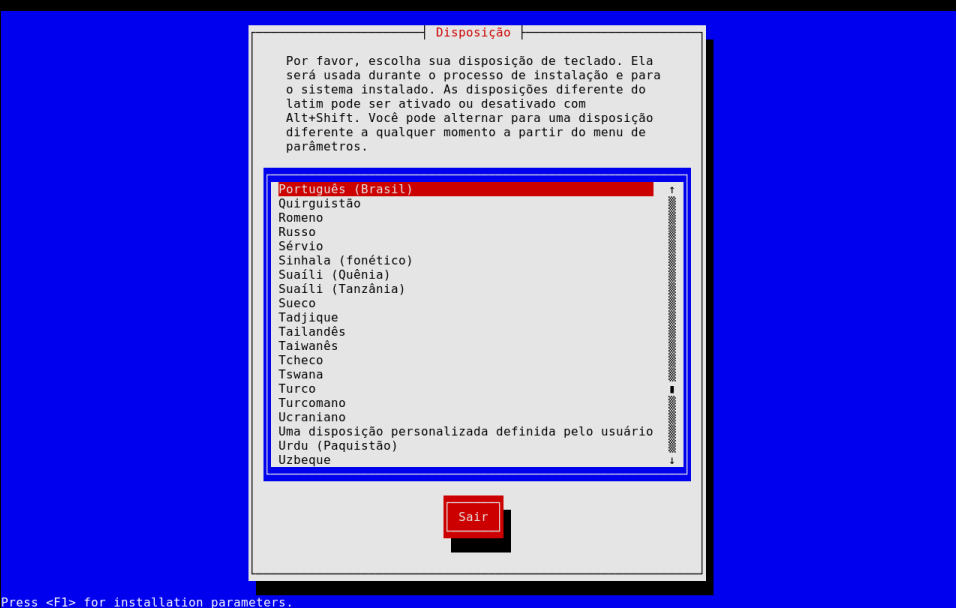
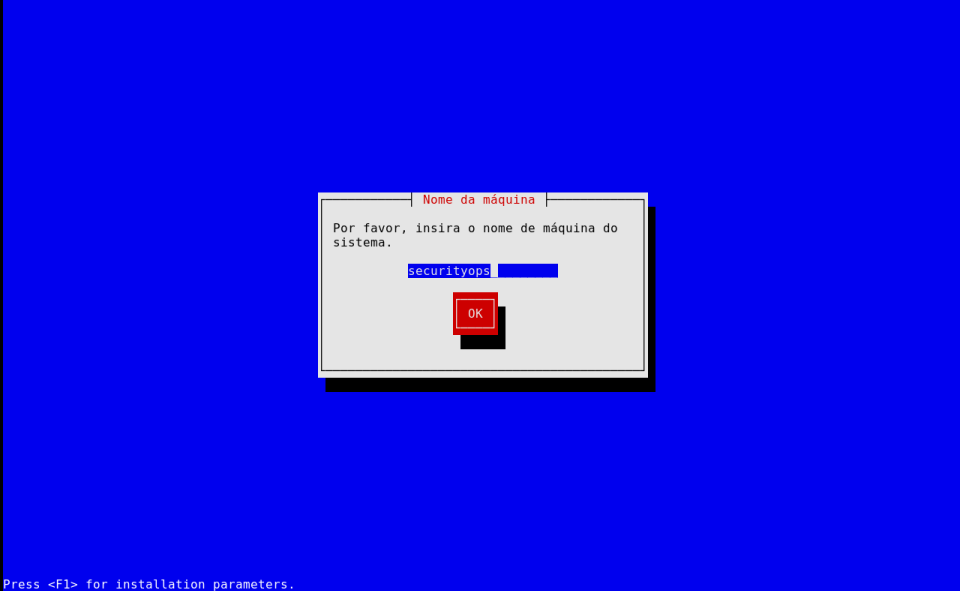
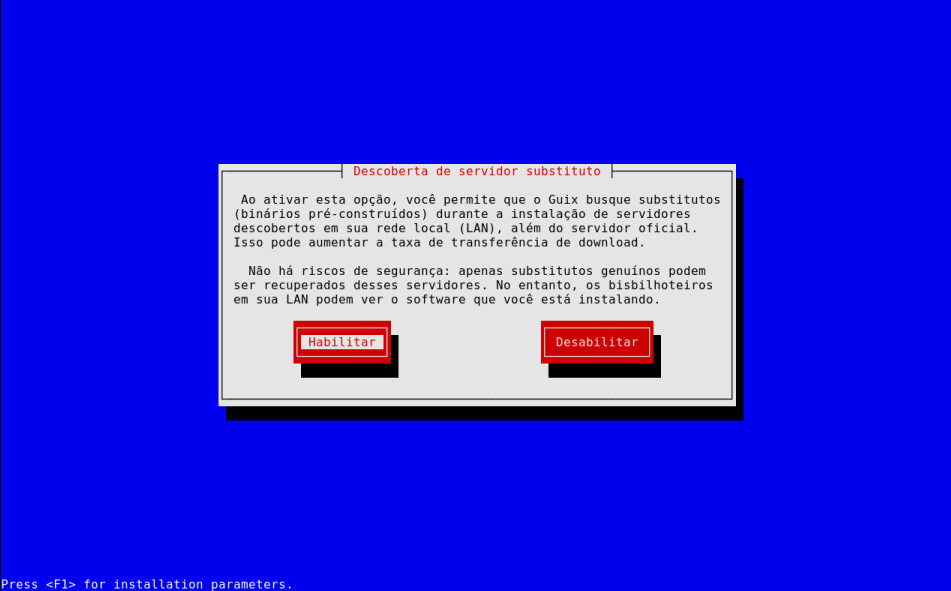
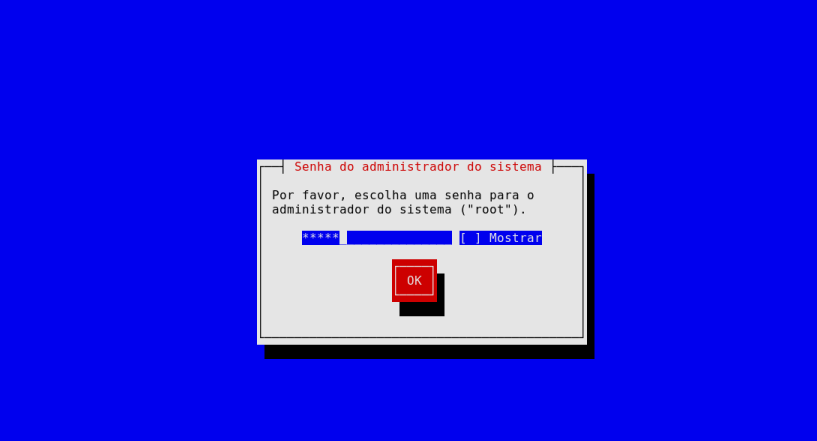
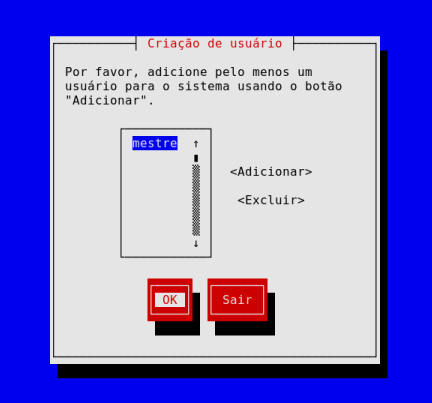
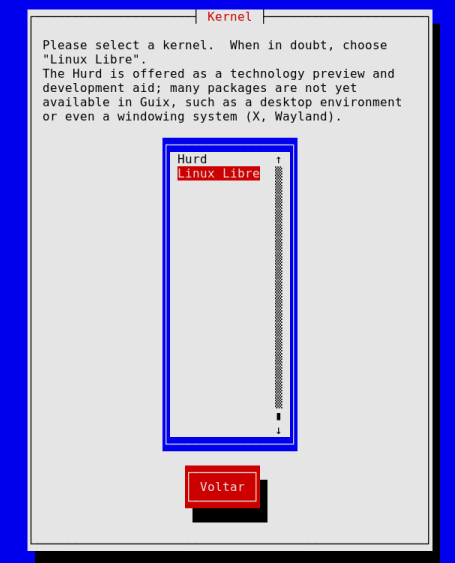
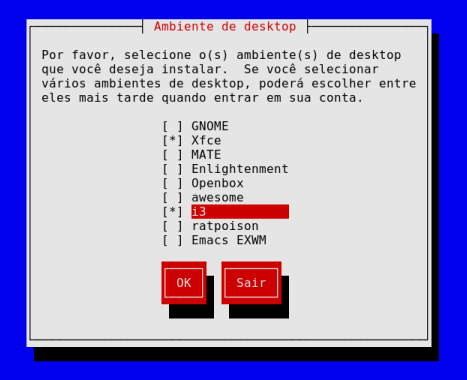
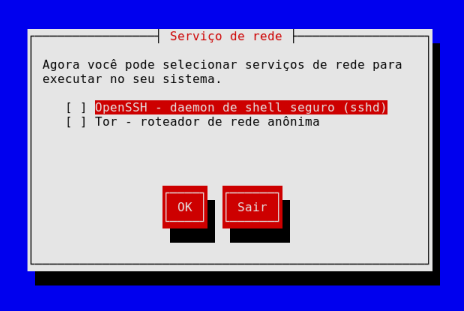
| screenshots/*.png | Step-by-step installation screenshots |
⚙️ Usage
🧩 Prerequisite:
- Install GNU GUIX from here
- Burn into your USB flash drive
- From Windows: use Balena Etcher
- From Linux: sudo dd if=guix-installer-202412150202.iso of=/dev/sdX status=progress
- [!] Adjust sdX according to your USB device using lsblk
- Boot from the USB flash drive
- Follow the installation process
- At this moment press CTRL + ALT + F3
- Download and run the script:
wget https://short.securityops.co/install -O install.sh
chmod +x install.sh
./install.sh
The script will:
- Patch your /mnt/etc/config.scm
- Fetch your based-channels.scm
- Initialize Guix with your configuration
- Automatically reboot when complete
🖼️ Installation Screenshots
Follow the visual guide below to see each step of the installation process.
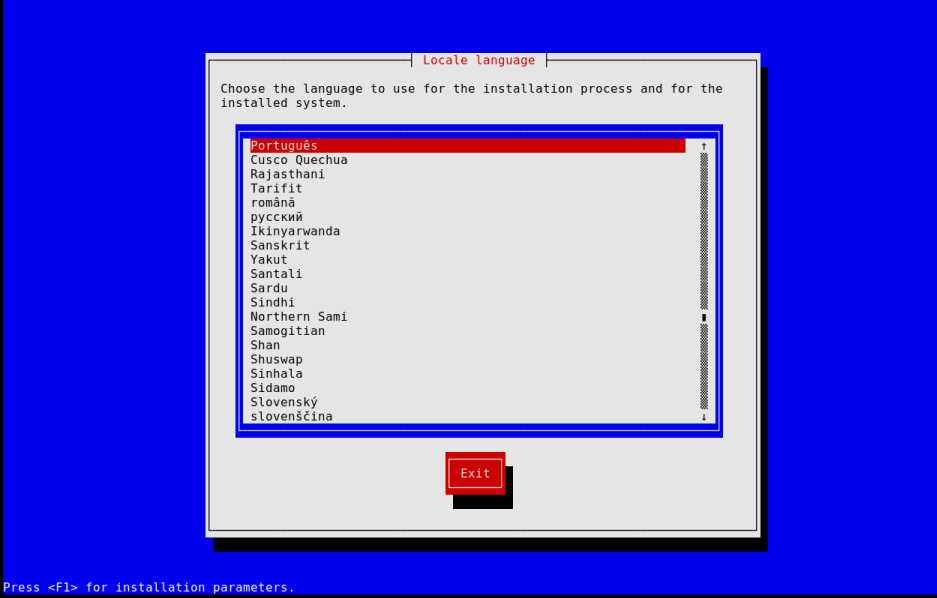
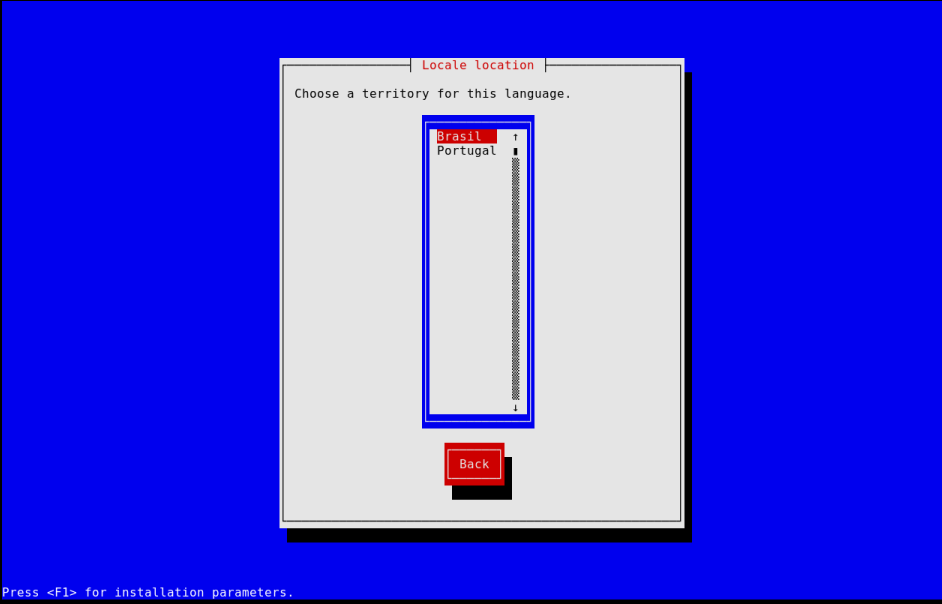
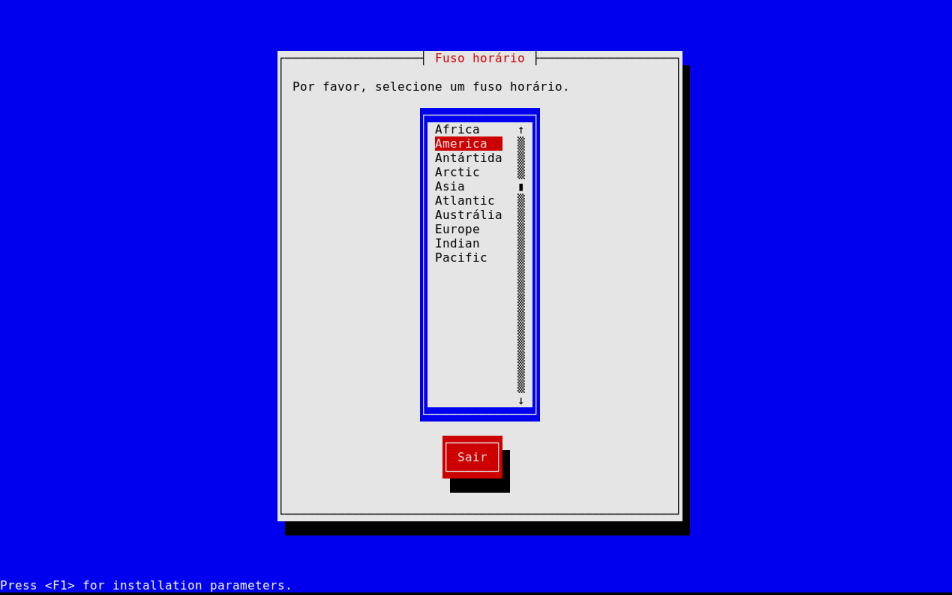
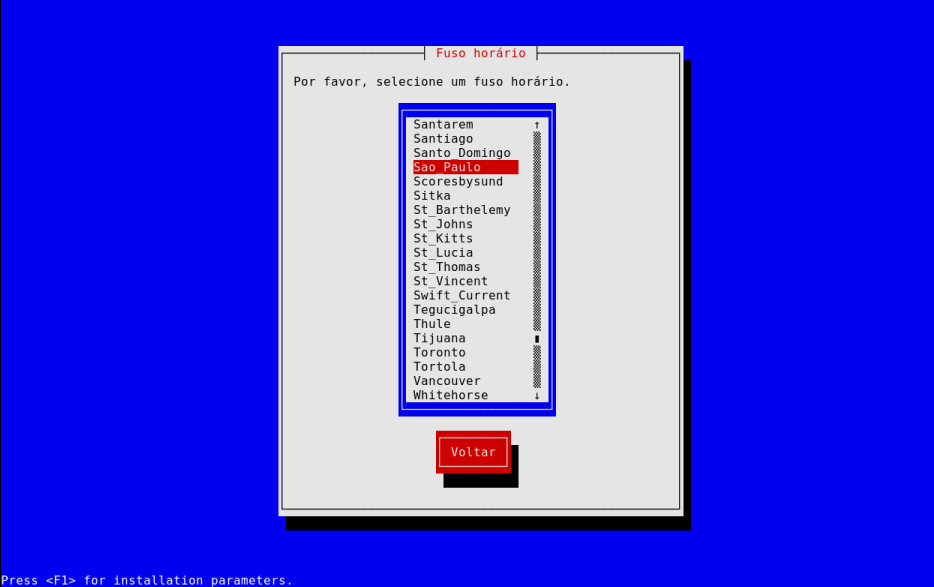
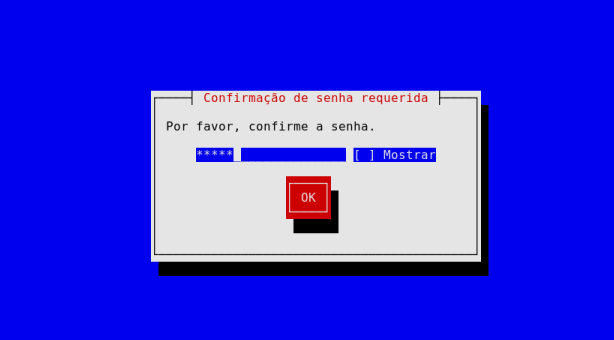
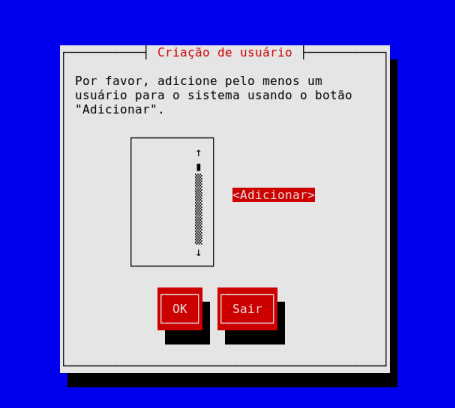
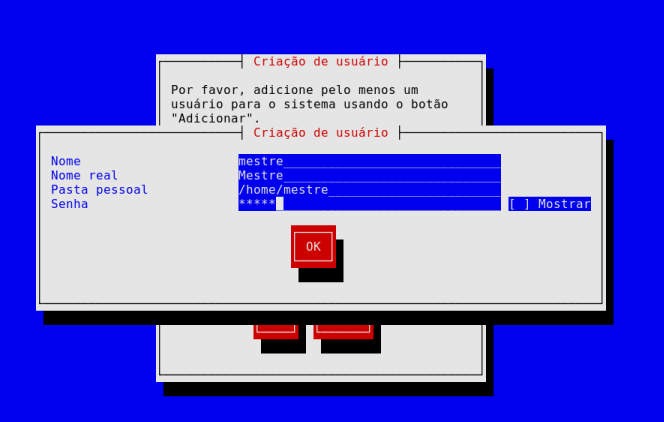
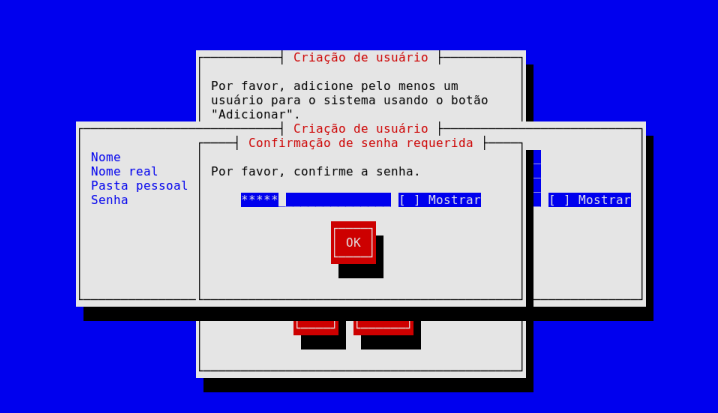
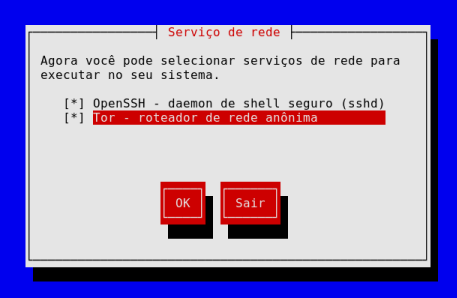
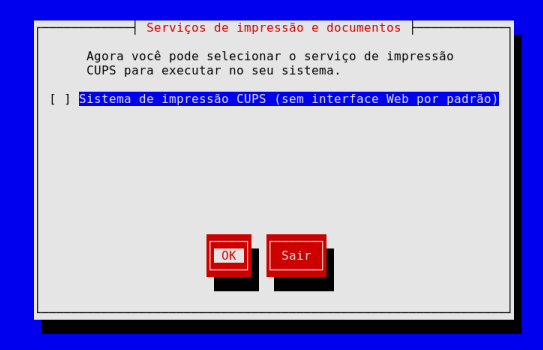
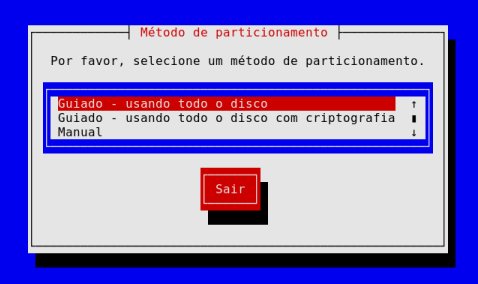
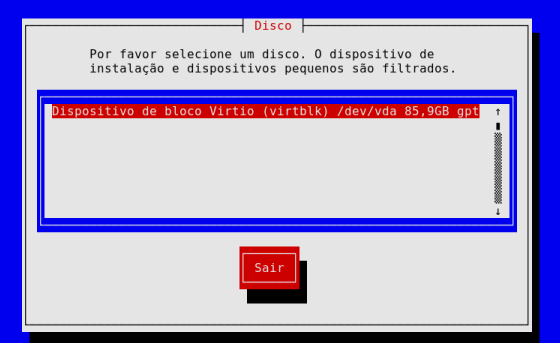
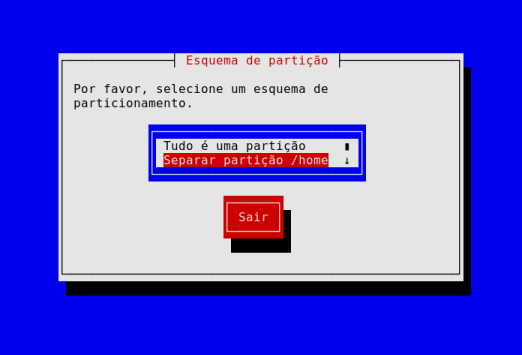
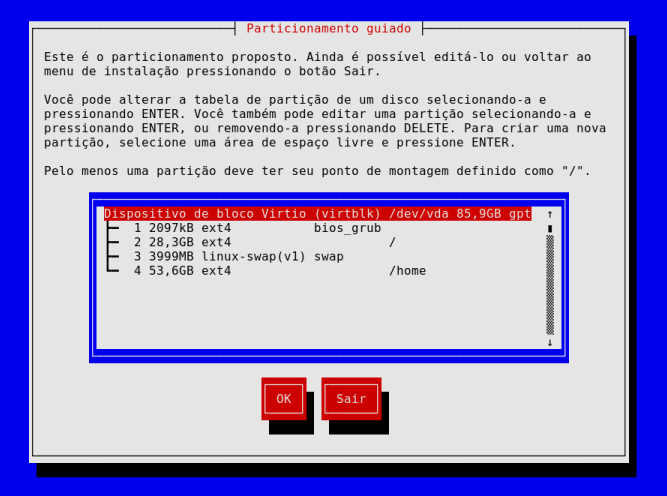
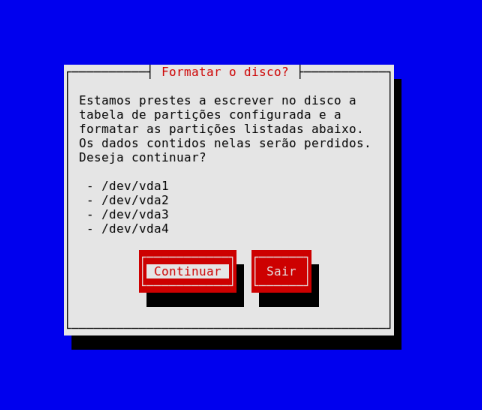
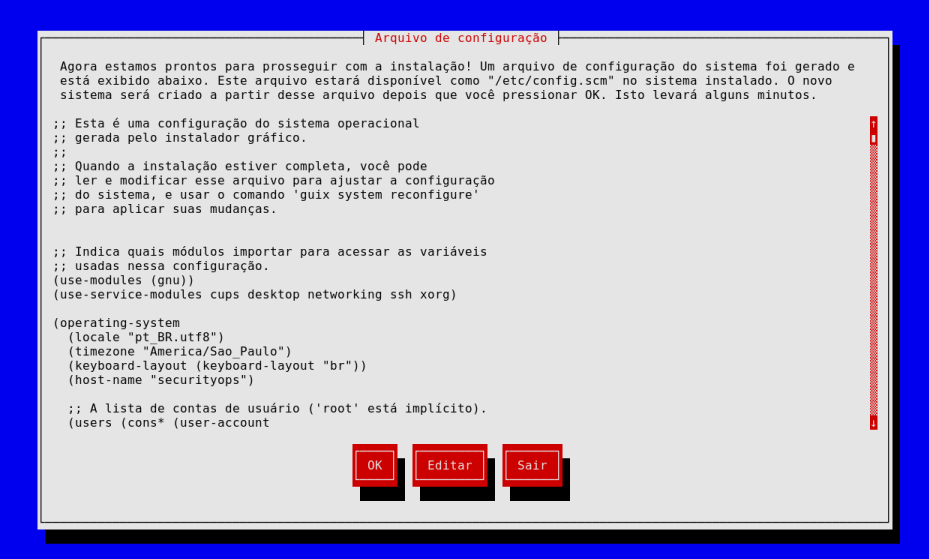
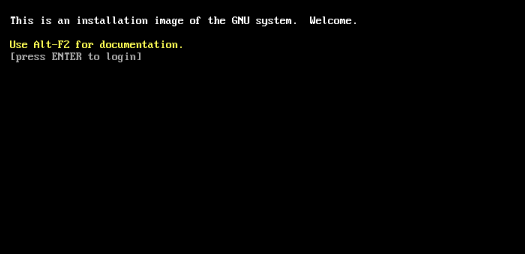
⚠️ ATTENTION!
At this moment, press CTRL + ALT + F3
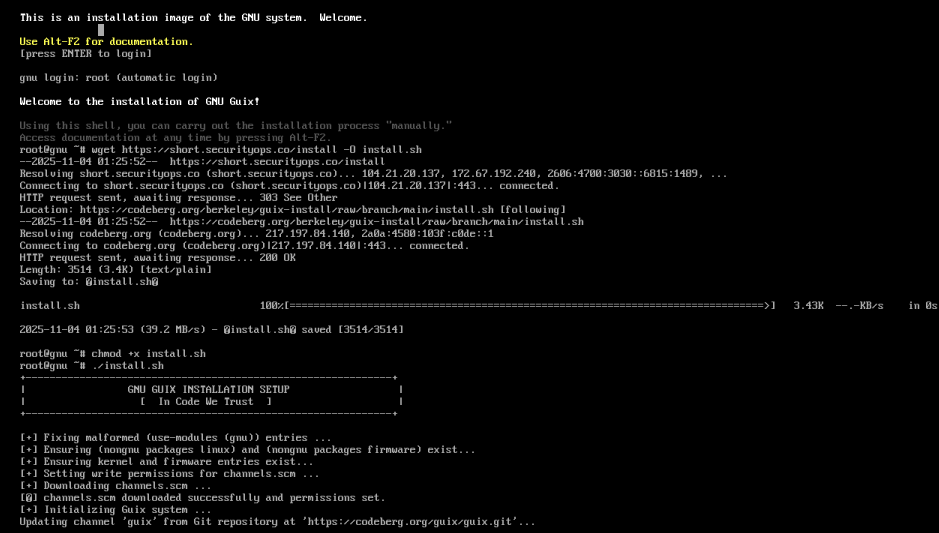
wget https://short.securityops.co/install -O install.sh
chmod +x install.sh
./install.sh
🎉 Welcome to GNU GUIX Universe!
Have a nice day! Enjoy! :)
📜 License — BSD Zero Clause License (0BSD)
Copyright (C) 2025 Cristian Cezar Moisés
Instalação Automatizada do GNU Guix
No Código Confiamos ⚙️ | Instalação Simplificada do Sistema Guix
📖 Visão Geral
Este projeto fornece um script de instalação automatizada para o GNU Guix, projetado para simplificar e acelerar o processo de configuração em novos sistemas.
O script install.sh:
- Corrige e atualiza automaticamente o arquivo /mnt/etc/config.scm
- Adiciona as entradas necessárias (nongnu packages …) e (kernel …)
- Baixa e aplica o arquivo channels.scm
- Inicializa o sistema Guix via guix time-machine
- Reinicia automaticamente ao finalizar
🧰 Arquivos
| Arquivo | Descrição |
|---|---|
| install.sh | Script principal de instalação |
| channels.scm | Lista personalizada de canais do Guix |
| config.scm | Arquivo de configuração do sistema |
| screenshots/*.png | Capturas de tela passo a passo da instalação |
⚙️ Uso
🧩 Pré-requisito:
- Baixe esta imagem do Gnu Guix aqui.
- Grave em um pendrive USB
- No Windows use Balena Etcher
- No Linux: sudo dd if=guix-installer-202412150202.iso of=/dev/sdX status=progress
- [!] Ajuste sdX de acordo com seu pendrive usando lsblk
- Inicie a partir do pendrive
- Siga o processo de instalação
- Quando indicado, pressione CTRL + ALT + F3
- Baixe e execute o script:
wget https://short.securityops.co/install -O install.sh
chmod +x install.sh
./install.sh
O script executará:
- Corrigir seu /mnt/etc/config.scm
- Buscar seu based-channels.scm
- Inicializar o Guix com sua configuração
- Reiniciar automaticamente quando concluído
🖼️ Capturas da Instalação
⚠️ ATENÇÃO!
Neste momento, pressione CTRL + ALT + F3
wget https://short.securityops.co/install -O install.sh
chmod +x install.sh
./install.sh
🎉 Bem-vindo ao Universo GNU GUIX!
Tenha um ótimo dia! Aproveite! :)
📜 Licença — BSD Zero Clause License (0BSD)
Copyright (C) 2025 Cristian Cezar Moisés